

Designing the next generation of BlueJeans
- Product Design Lead
- Design Manager
- iOS · Android · Apple Watch
- macOS · Windows
- Product design
- Visual brand system
- UX research
- Cross-functional design process & strategy
- Design team leadership
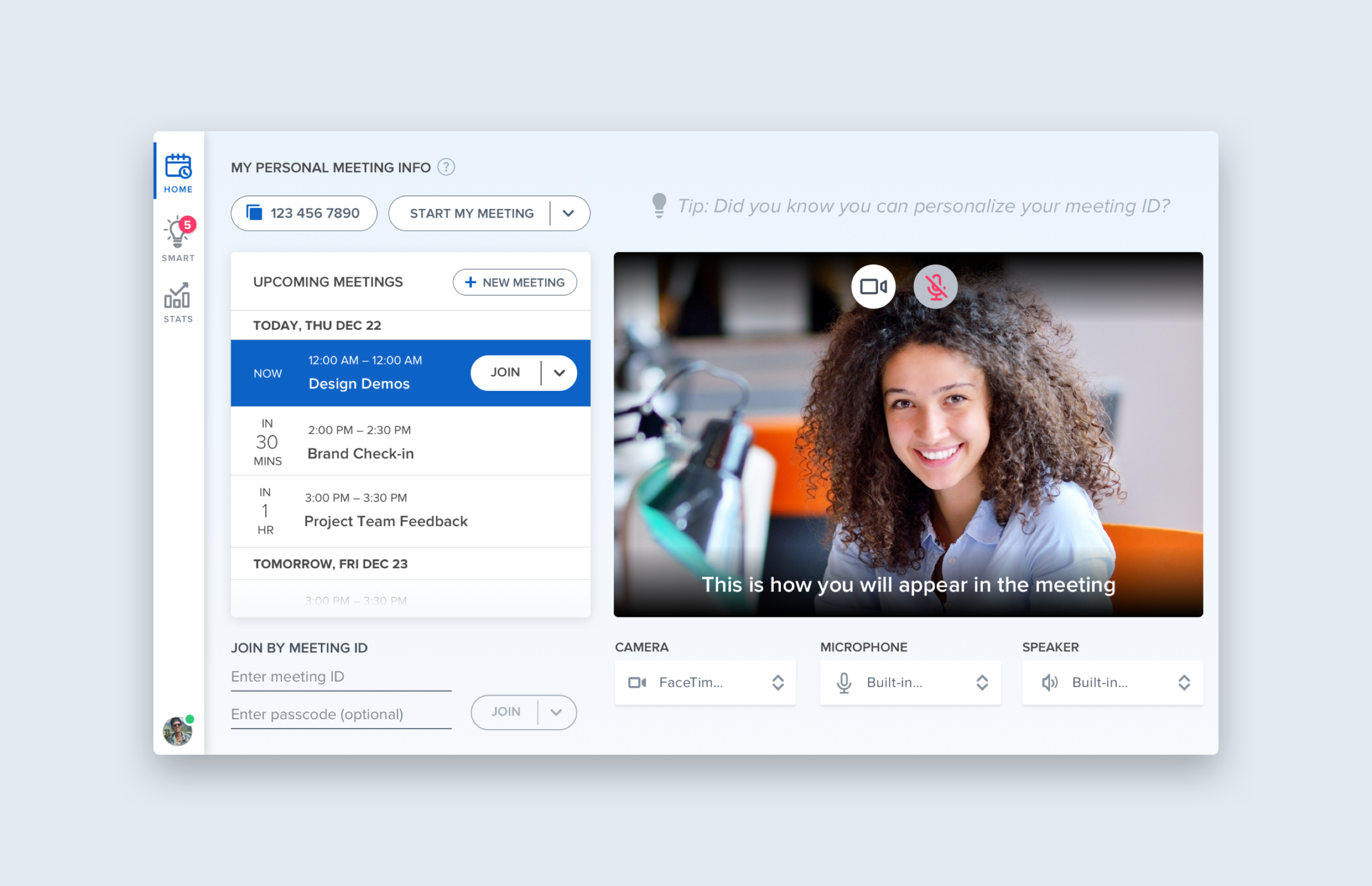
Rebuilding the mobile app around the minute before a meeting
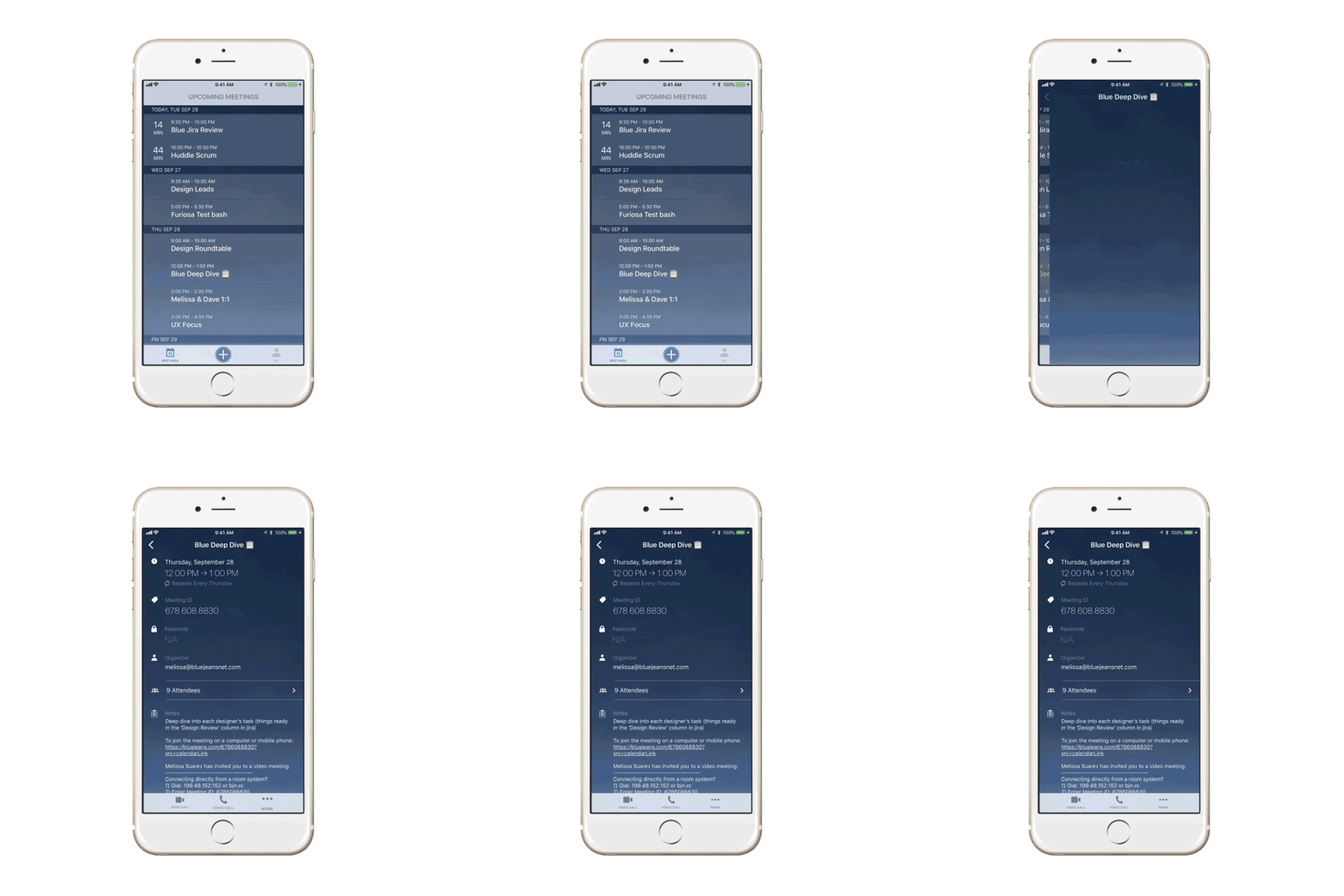
BlueJeans wanted a next-generation look and experience for mobile. The real design problem was narrower than that: people open a conferencing app in transit, distracted, usually late — commuting was an explicit use case. The answer to "which meeting, and how do I get in" had to arrive before the user had to think about it.
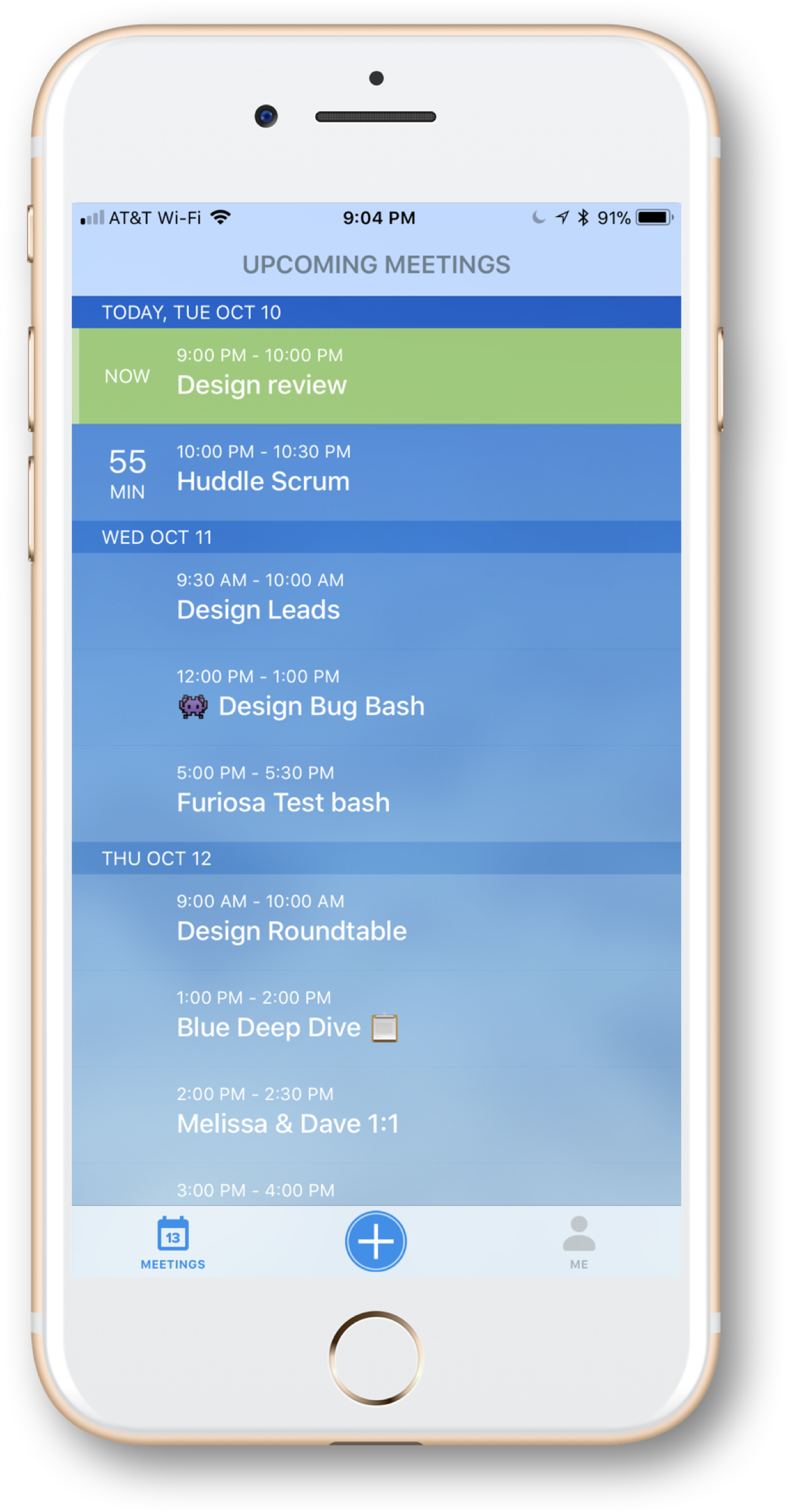
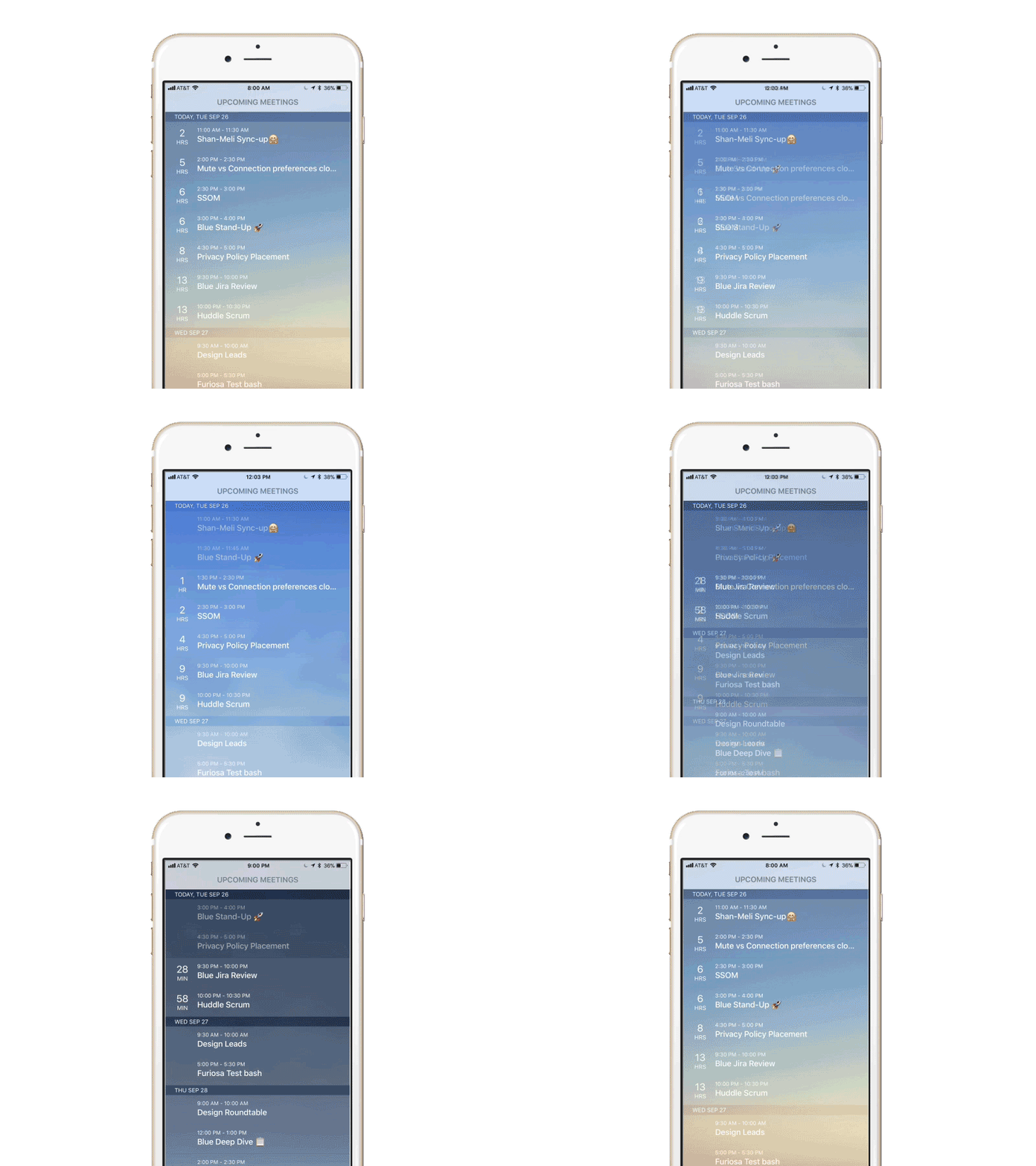
The gradient carries the schedule
Dark at the top, light at the bottom. Today sits where contrast is highest; meetings further out recede.
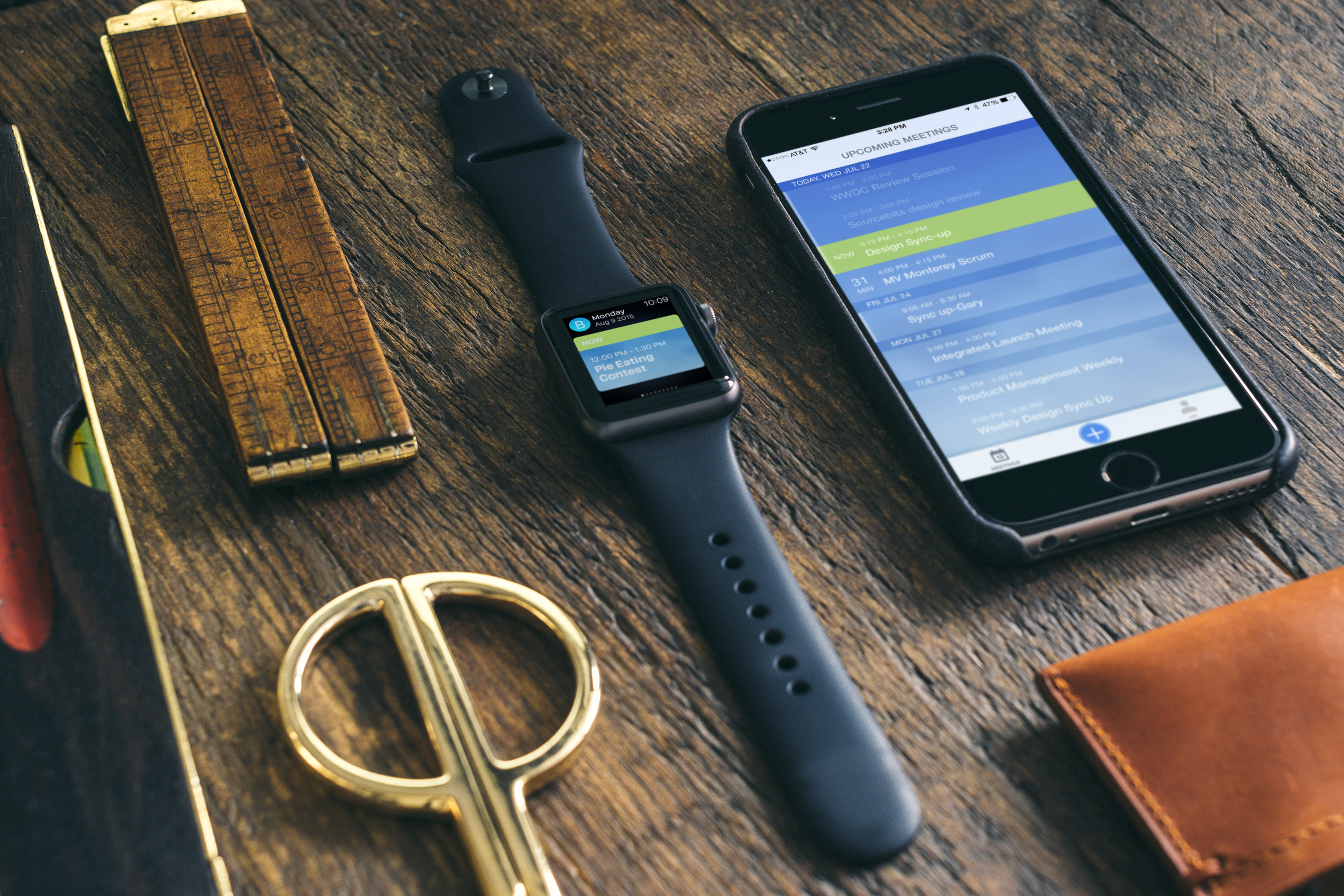
Now is green — and only now
A meeting happening this minute can be tapped without being read. One saturated color, one urgent action.
A countdown, not a timestamp
Minutes remaining rather than a start time. It answers the question you actually have.
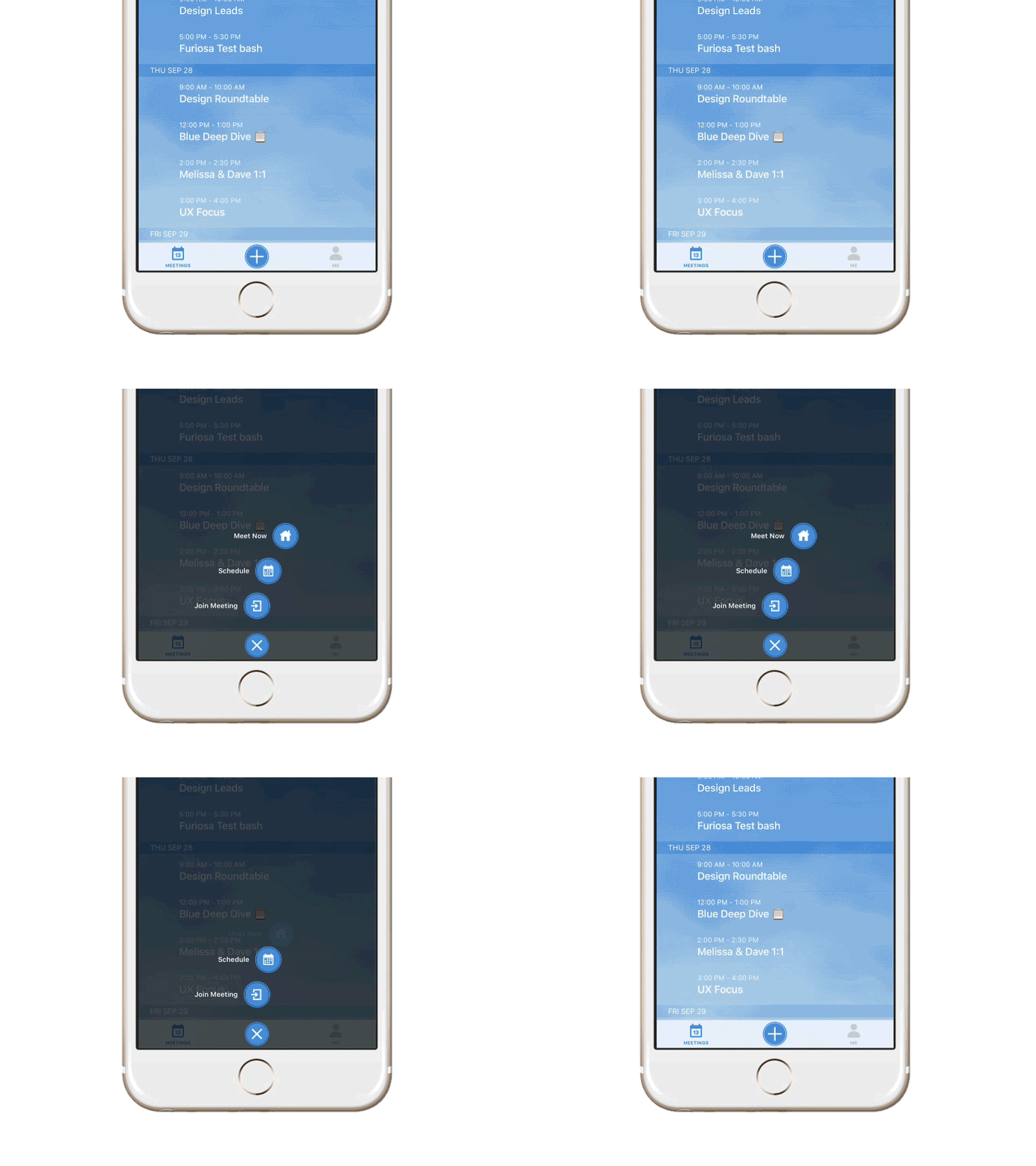
BlueJeans × Nike
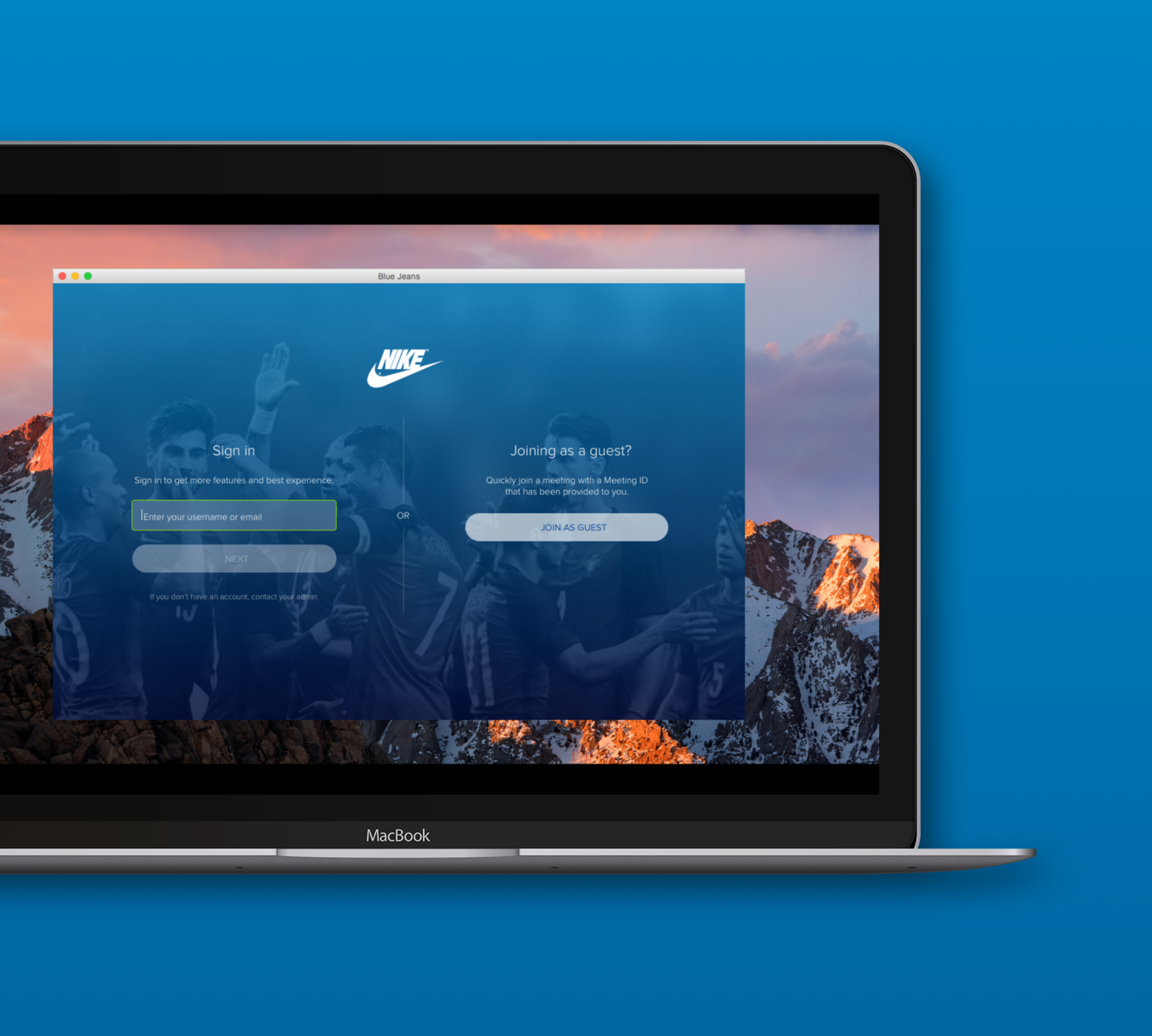
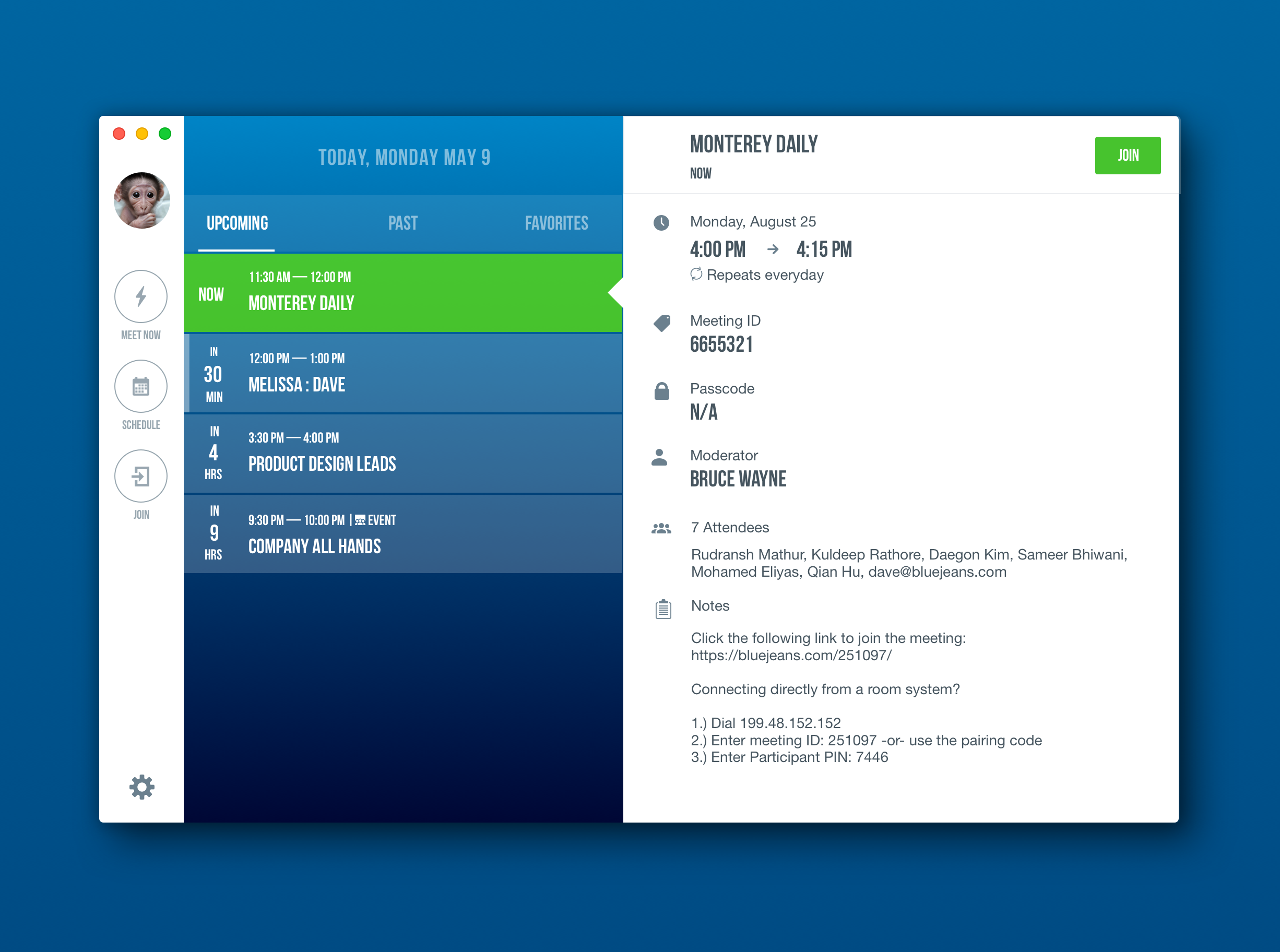
After iOS, Android and Apple Watch shipped, I was asked to bring the desktop app in line with the new brand. That work became the foundation for something else: Nike wanted to partner, and wanted BlueJeans wearing Nike's brand. It had to be convincingly Nike and genuinely easy to implement on our side — which only worked because the mobile design had been built as a skeleton rather than a skin. The structure held; the brand layer swapped.
Joining a meeting took too many steps
Analytics said joining a meeting had too many steps, quality scores were low, and we were behind competitors.
Design for MVP
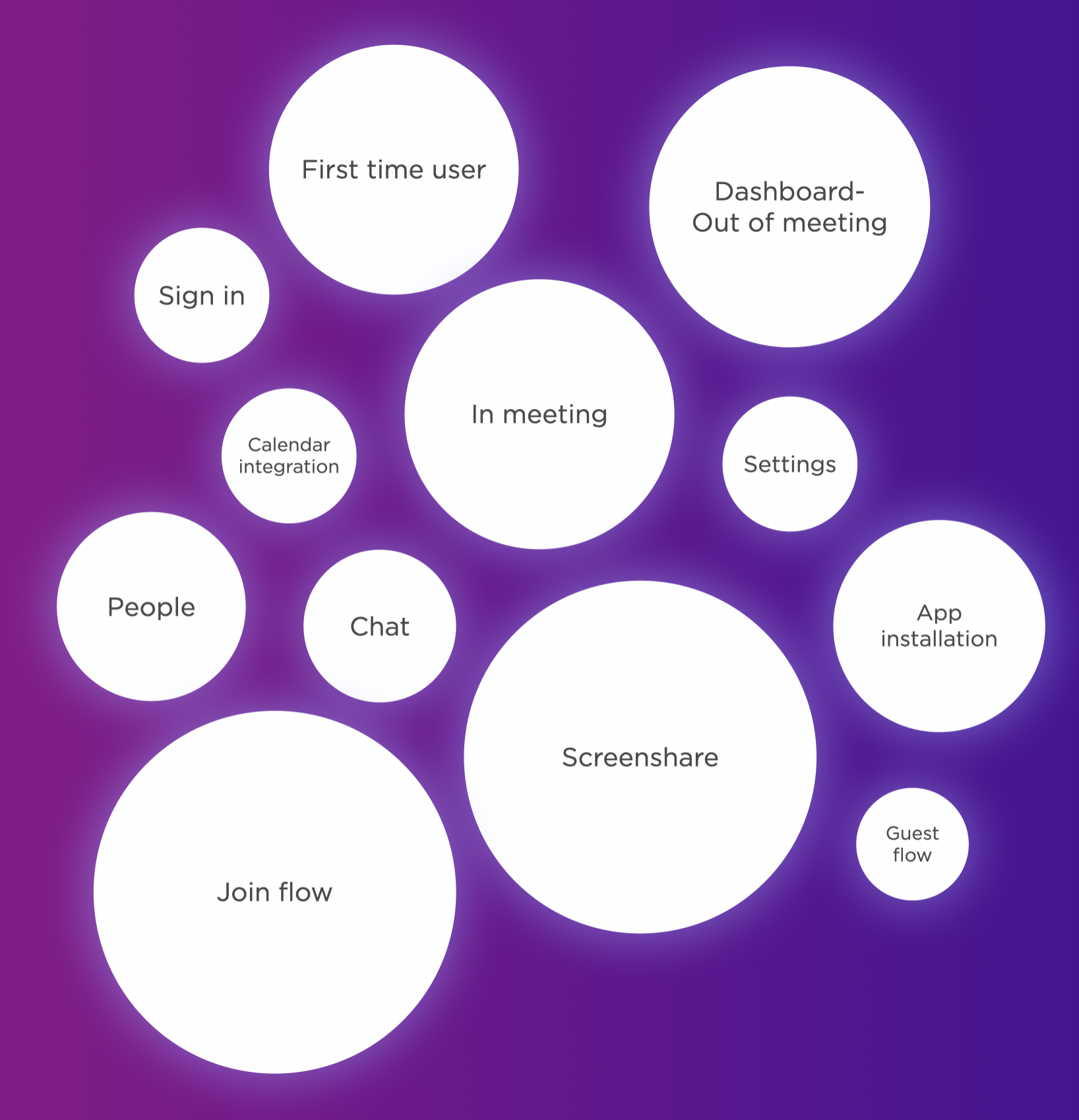
Mapped every candidate flow and sized it against research and analytics, so we understood the real scope and which core features had to be in the first release.
Competitive research
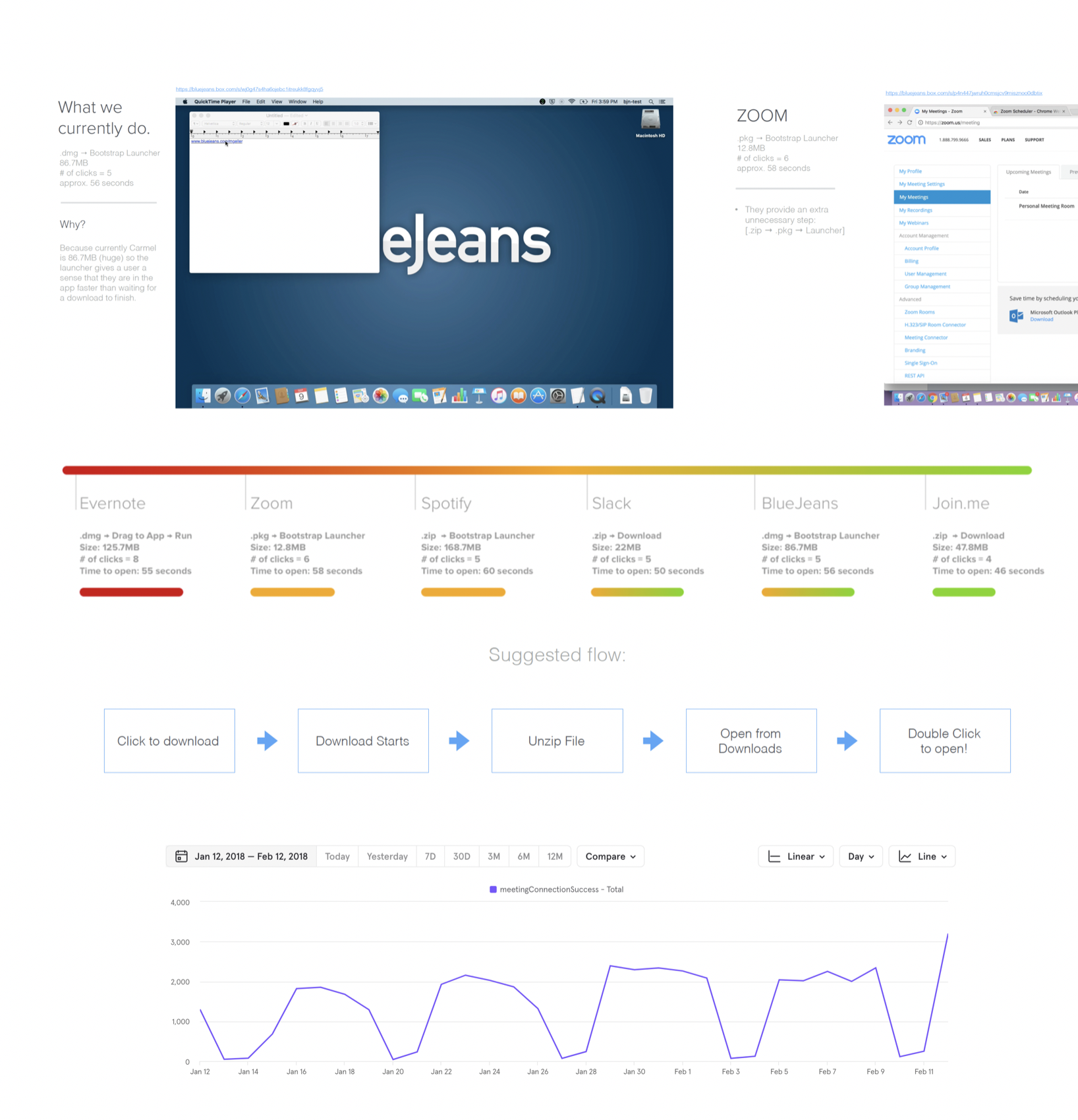
Benchmarked Evernote, Zoom, Spotify, Slack and Join.me against ourselves on file size, clicks and seconds to open, so our targets came from the market rather than from opinion.
Process
Whiteboarded, tested and iterated with engineering in the room from the start, so every flow was designed against what the technology could actually deliver.
This predates generative AI by several years. Competitive analysis meant installing six applications and timing each one by hand with a stopwatch; there was no tool to summarize a market or draft a flow. Every insight here was assembled manually, which is also why the process work in Chapter 04 mattered so much.
Every way in, equally
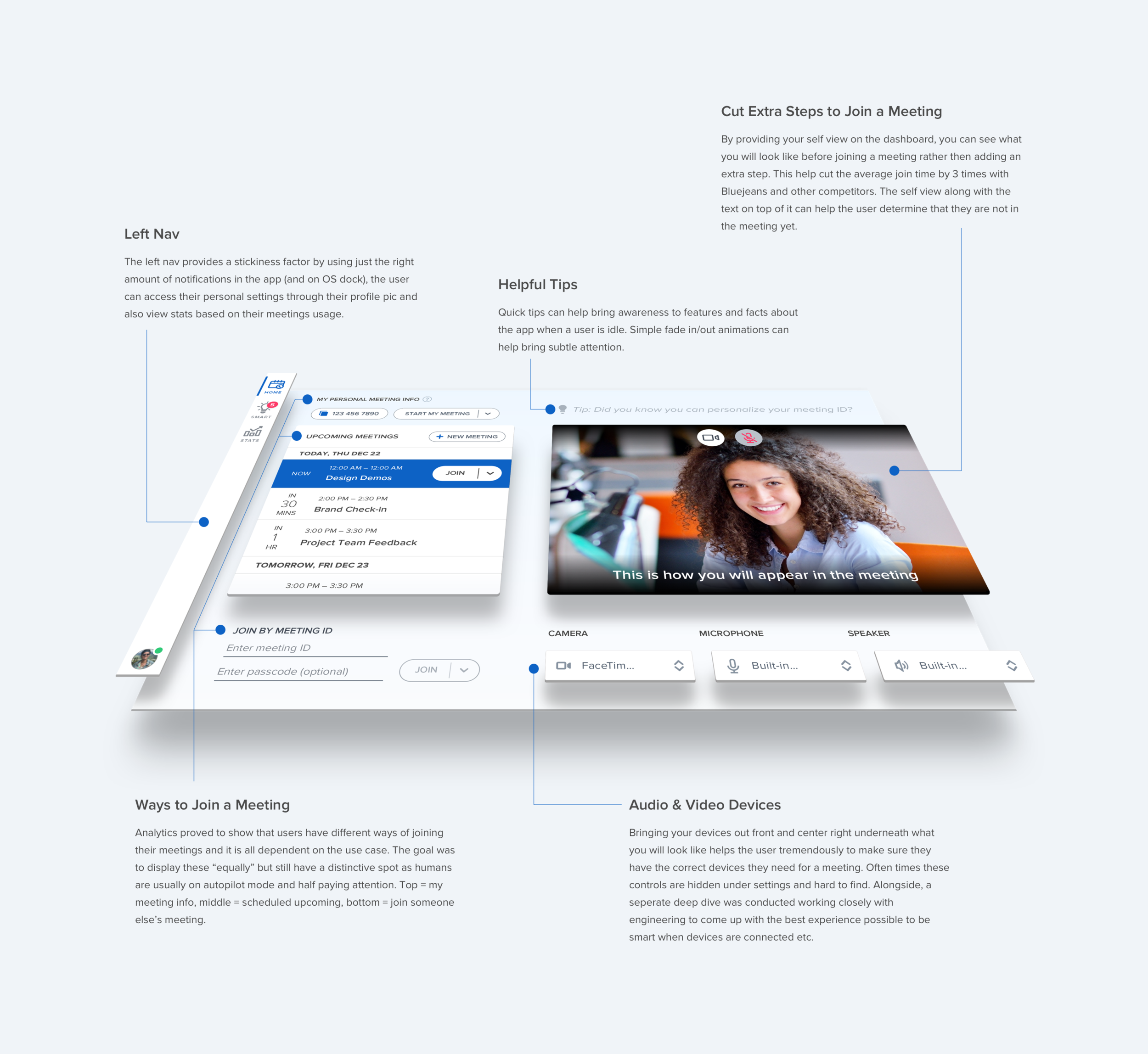
Analytics showed join method varies by use case, so each got a distinct, equal place rather than a hierarchy.
Self-view on the dashboard
Previously a separate screen — one more step. Merging it cut average join time to about a third of competitors'.
Devices in the open
Camera, mic and speaker surfaced up front. Competitors buried them in settings, which lengthens the join flow.
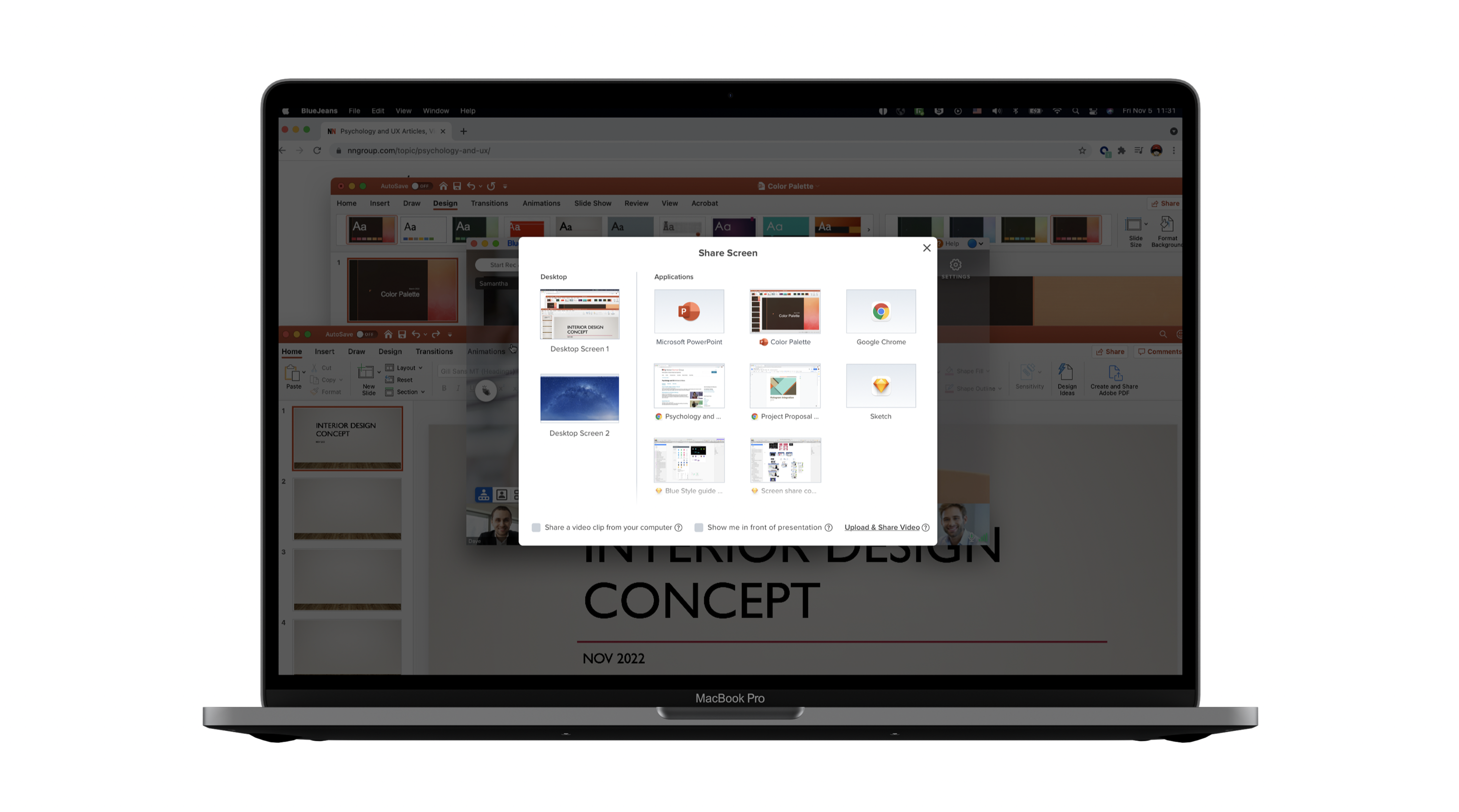
Devs and PM pushed to remove the option to share a whole application, arguing it was redundant with sharing a single window.
I pulled the analytic metrics, which showed that users consistently preferred sharing the entire application over hunting for the right window — and no competitor we observed offered it at all at the time.
Building a design process the whole company could deliver against
After the MVP shipped, we took a step back. Specs were landing late, design and engineering were out of sync, and the work that made designs good — competitive analysis, research, user testing — was the first thing cut whenever a release date got close. I built a process guide that gave each of those a defined place in the release cycle, then aligned it with PMs and the roadmap so design knew each release's priorities early enough to actually do the work.
It took several rounds to get right. Once it held, we were delivering ahead of schedule — and when Verizon acquired BlueJeans in 2020, that mattered more, not less. I presented the process to leadership at Verizon so new products starting up could follow the same structure, and it became the onboarding documentation new designers joined the team on as it grew.
Design and PRD run in parallel rather than in sequence — a protected 3–4 week design window ahead of any engineering commitment, on a platform shipping every 5–6 weeks.
Design, PM and engineering leads aligned on priorities and dates every Monday, so nobody discovered a conflict late. Demos on both sides meant work was seen in progress rather than at handoff.